


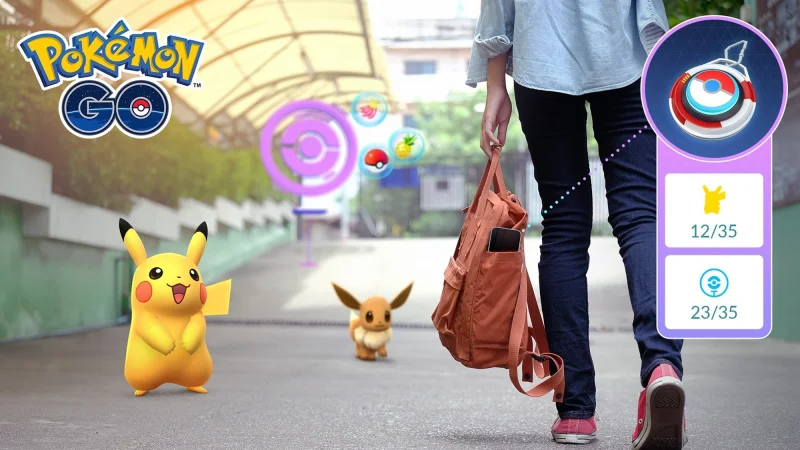
Pokémon GO is updating the Explorer Gadget so it can help Trainers even while the game is open and in active use. The feature will still try to catch Pokémon and spin PokéStops on its own, but players will now also be able to use it during live play instead of only when the app is sitting in the background.
The change matters because it affects a feature many players use to keep progress moving without constant tapping. Trainers at level 20 and higher can turn on the Explorer Gadget from the top right of the map view or from Key Items in the Item Bag, and the game will now surface its activity with a pink Poké Ball icon over Pokémon or PokéStops it is trying to handle. Players can tap those targets themselves if they want to take over.
That update folds the Explorer Gadget into normal play rather than leaving it outside the action. It is part of a wider round of gameplay adjustments and quality-of-life updates in Pokémon GO, and it is built for Trainers who are already eligible to use it. A summary screen will show which Pokémon were caught by the Explorer Gadget and how many PokéStops were spun, giving players a clearer picture of what the feature has done while they are out exploring.
The new setup also comes with limits. The Explorer Gadget and a paired accessory device cannot be active at the same time, even though players using a Pokémon GO Plus + do not need to unpair that accessory to use the Explorer Gadget. It will also skip certain encounters, including Pokémon that are not yet registered in the Pokédex or mighty Pokémon, which means the feature is useful but not universal.
There is still one detail players will likely want answered next: how long that override window really lasts once the pink Poké Ball icon appears. For now, the update gives Trainers more control during active play, but not complete control, and the gap between automatic help and manual action remains part of how the feature works.